Engaging Supporters in FUNDRAISING
Watch our Peer-to-Peer Training Video
What is a Fundraiser?
A Fundraiser is a supporter who fundraises on your behalf. These supporters create their own fundraising page as a spin off of your main profile. Your Fundraisers will share that page with their network to expand the reach of your cause and bring in new donors. These individuals are passionate about the work you do, and use their voice to make a difference!
Who are Your Potential Fundraisers?
ADD FUNDRAISERS
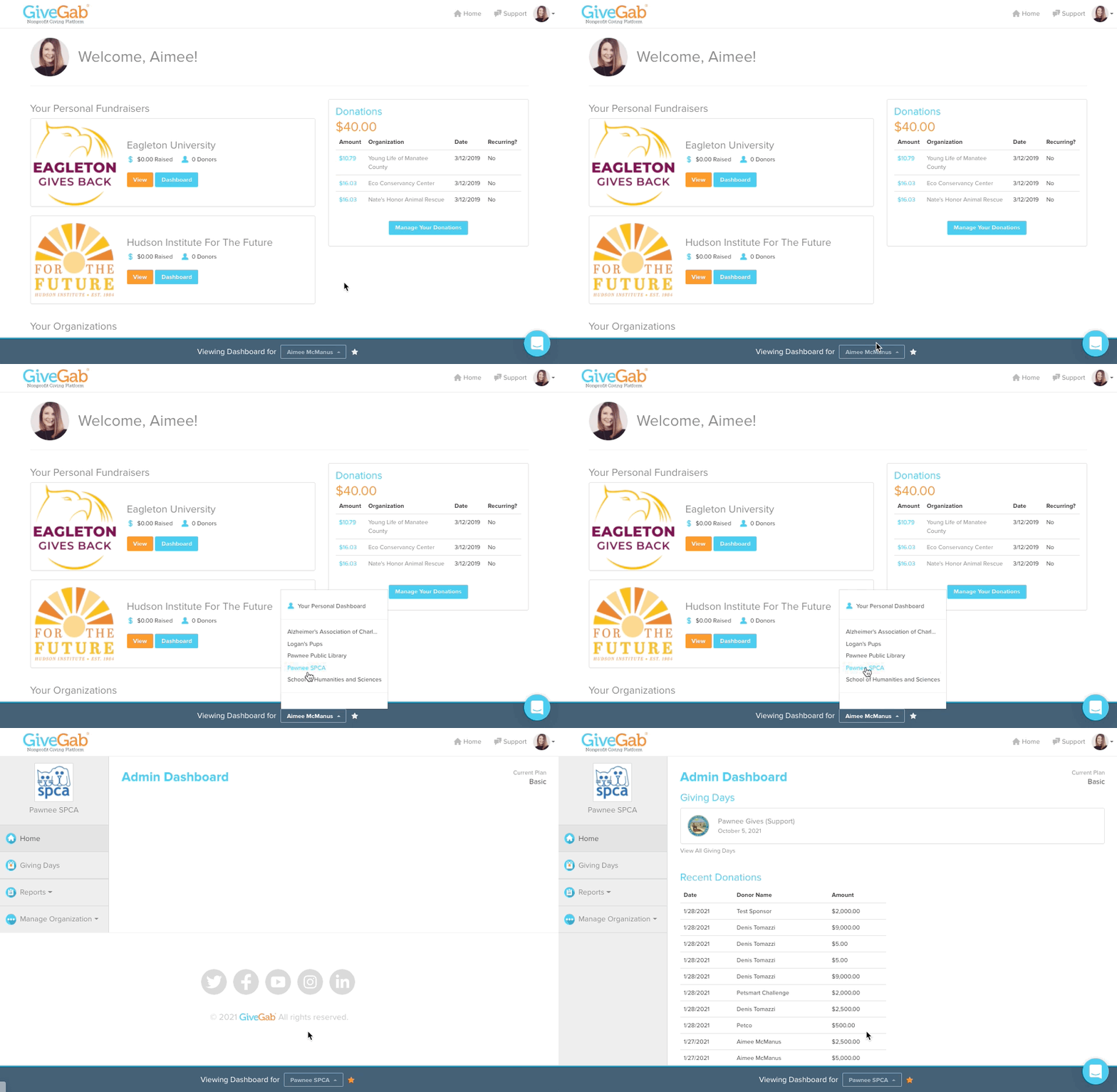
Step 1: Head to your Dashboard through your GiveGab Account
If your home page is not your Admin Dashboard, click on the drop down box at the bottom of the screen next to “Viewing Dashboard For” to view a list of organizations that you are an administrator for. Click on the name of your organization you’d like to access.
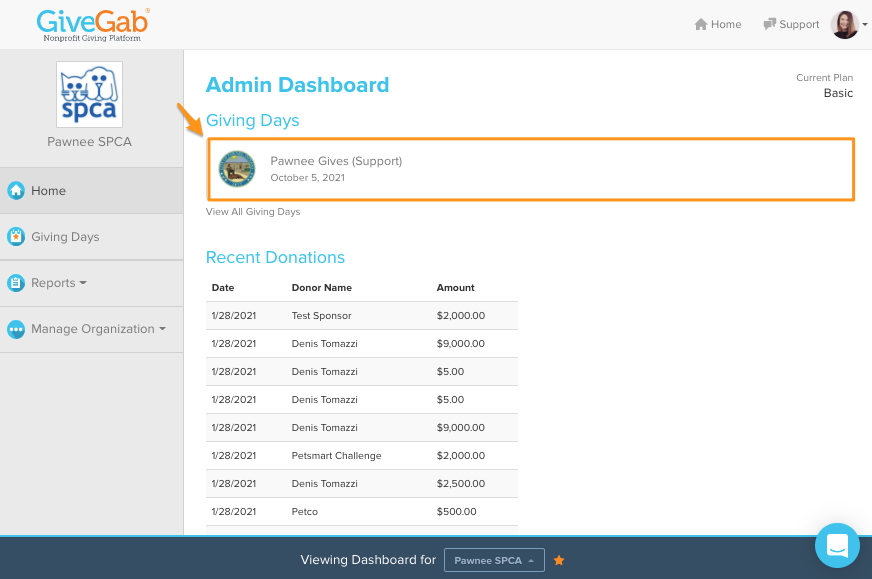
Step 2: Navigate to your Dashboard
Click the banner at the top to navigate to your Dashboard.
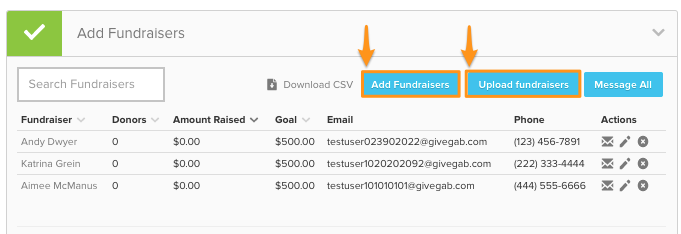
Step 3: Add Fundraisers to your Dashboard
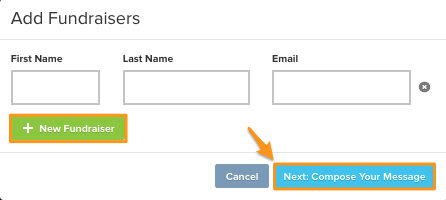
From your Dashboard, expand the tab that says "Add Fundraisers" to recruit Fundraisers for your cause. Click the "Add Fundraisers" button to start inviting them. You can also upload your Fundraisers en masse via CSV by clicking the "Upload Fundraisers" button.
Once you've added your Fundraisers, click the "Next: Compose Your Message" button.
Step 4: Customize and Send Your Invitation
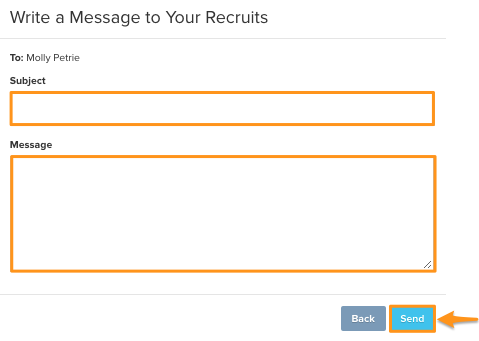
You'll be able to compose a custom message that your Fundraisers will receive in their invitation email. You can customize the email subject and message before sending it off to your supporters. Once your message is ready, click the "Send" button.
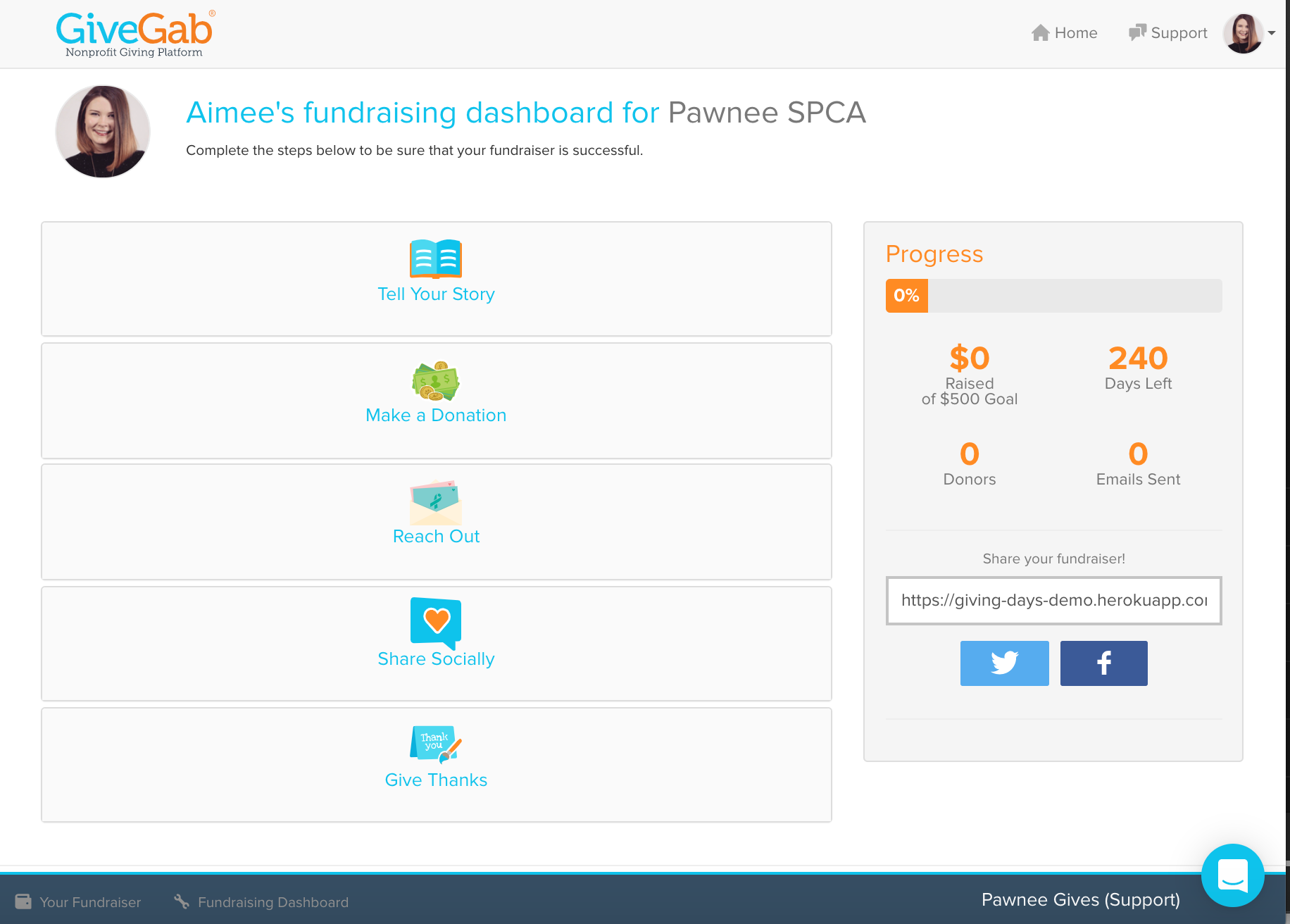
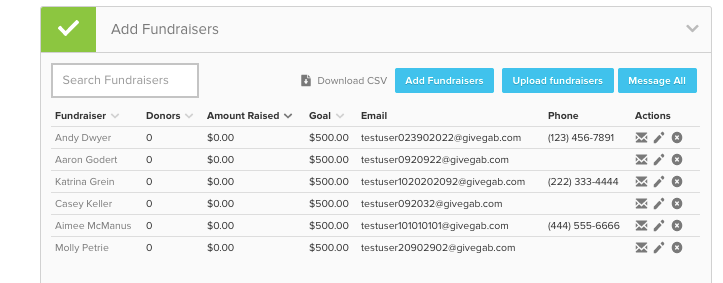
After clicking the "Send" button, your new Fundraisers will receive an email with your customized message. This email will also contain information on logging in, as well as a link to their Fundraising Dashboard (pictured below), where they'll manage and customize their page. You'll be able to view and manage your new Fundraisers from the "Add Fundraisers" tab of your Giving Day Dashboard.
Step 5: Share the Fundraiser Guide with your Fundraisers
The Fundraiser Guide is a great resource to share with your Fundraisers to help them learn about all the features they can utilize when customizing their page. Within this Fundraiser Guide, they have access to communication templates, downloadable graphics, and P2P strategies.
Your supporters can also start fundraising without being recruited by clicking the “Fundraise” button on your profile. Those Fundraisers will be directed to their Fundraising Dashboard where they can start customizing their page and reaching out to their network immediately!